Self hosting series, Hardware (2)
In the first article we talked about why self-hosting matters. Now the practical side: the hardware I run, how I started, and how it grew over time.
Starting small: the ZimaBoard
I did not go all in. I started with a ZimaBoard 832, a tiny x86 single board server from IceWhale. Completely fanless, the chassis acts as the heatsink, and it idles at around 4 watts. You barely notice it on the electricity bill.
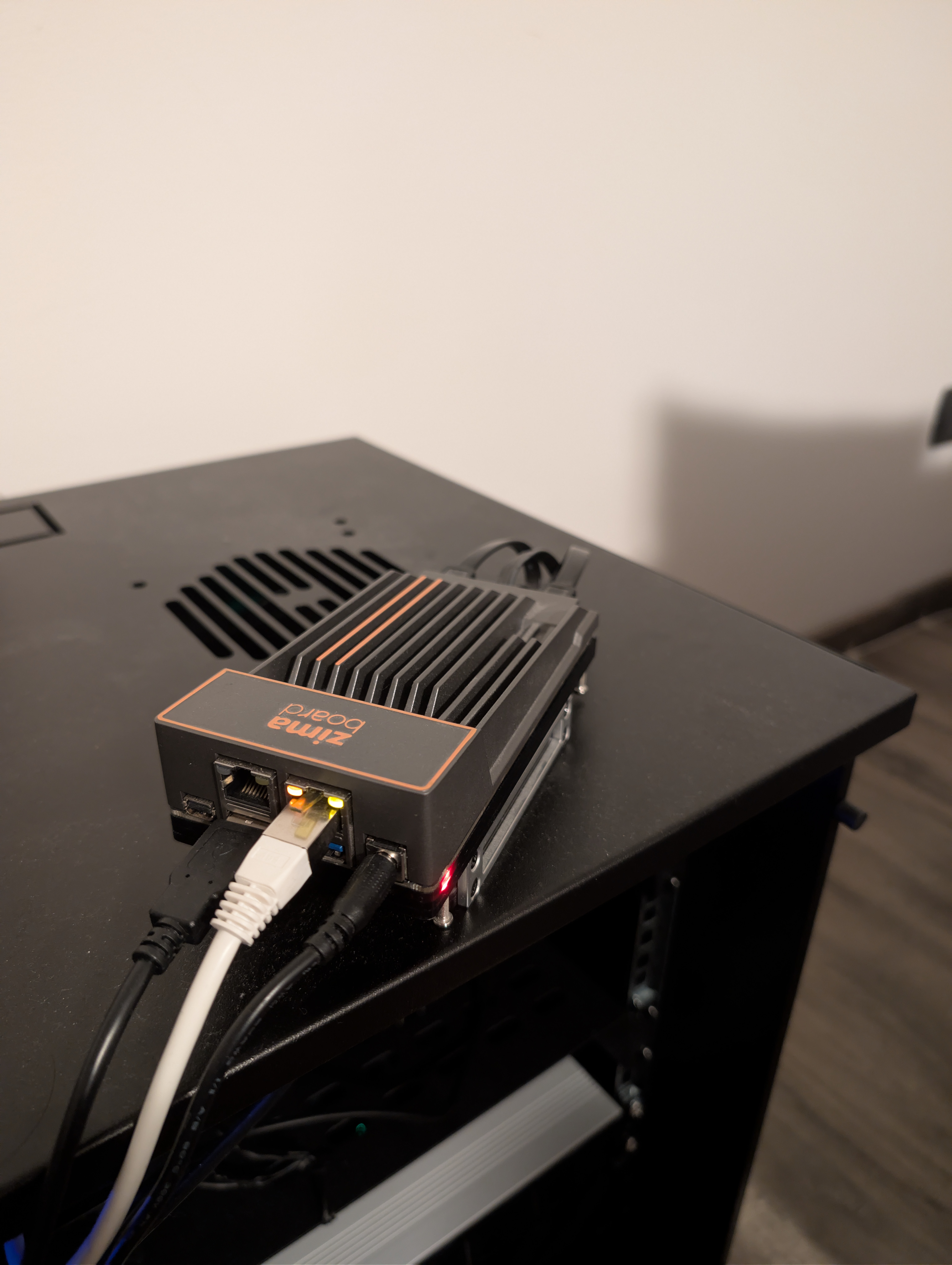
The ZimaBoard 832, fanless and palm-sized
I paired it with two Samsung 870 EVO 2TB SATA SSDs in RAID 1. Fault tolerance if a drive fails, 2 TB usable, all in a device that fits in one hand. That was my entire setup for almost two years: Proxmox on a single node, LXC containers, and Nginx Proxy Manager as a reverse proxy. All on a board that draws less power than a phone charger.
If you are starting out, something like this is all you need. Do not overthink it. Get a small board, plug in a drive, install Docker, start experimenting. You can always scale later. That is exactly what I did.
The current setup: three Minisforum MS-01
The cracks started showing when I added Immich, Jellyfin, and Nextcloud. Nextcloud especially: I was using it purely as a drive, but the thing drags a full application stack with it. Calendar, office suite, a dozen plugins I never touched. 8 GB of RAM was not made for all of that running at once.
It became a real problem when I decided to move my family onto the cluster. For yourself you can tolerate some lag. For other people, it has to feel fast, or they will just go back to Google Photos. So the ZimaBoard had to go.
A single more powerful machine would have solved the RAM problem. But I wanted something I could actually maintain. With a cluster, if a node needs a reboot, a hardware swap, or simply dies at the wrong moment, the other two keep running. No downtime, no emergency. That reliability was what pushed me toward multiple nodes over a single beefy one.
That, and it sounded like a genuinely fun project. Running Kubernetes with real HA, in a closet, is the kind of thing you normally only get to do with an ops team behind you. The migration was not easy, and I will write about that later. But it was worth it.
The core of the current setup is three Minisforum MS-01 workstations. Do not let the “mini PC” label fool you. These pack serious hardware in a 196 x 189 x 48 mm chassis: twelve-core i5-12600H, 32 GB of DDR5, 2 TB of PCIe 4.0 NVMe per node. Across three nodes that is 36 cores, 48 threads, 96 GB of RAM, and 6 TB of NVMe.
But the real reason I chose the MS-01 is the networking.
Four network ports, two of them at 10 Gbps
Each MS-01 ships with 2x 2.5 GbE RJ45 and 2x 10 GbE SFP+ ports. That is what sets it apart from virtually every other mini PC in this price range.
I use a single 2.5 GbE port per node for LAN and WAN, all going through the FRITZ!Box 5590 Fiber on a 2.5 Gbps fiber line. The second 2.5 GbE port sits unused for now, ready for a second LAN, a dedicated management network, or a VLAN for exposed services.
The two 10 GbE SFP+ ports are where things get interesting. The three nodes are wired in a full mesh over DAC cables, no 10G switch needed. All inter-node traffic runs on that dedicated backbone, isolated from the rest of the home network: at the hypervisor layer (Proxmox cluster heartbeat, ZFS replication, VM live migration) and at the Kubernetes layer above it (pod-to-pod traffic, Longhorn storage replication). On a Gigabit link the network would be the bottleneck long before the CPUs break a sweat. At 10 Gbps, you can actually spread a workload across the cluster and feel it.
Do not buy three identical drives
One small detail that is easy to get wrong. When you order the drives for a cluster like this, do not buy them all from the same shop, on the same day, from the same batch. It feels efficient. It is not.
Drives from the same manufacturing lot share defects, firmware, and roughly the same lifetime. If one fails because of a latent issue, the others are strong candidates to follow soon after. The classic Schroeder and Gibson FAST 2007 paper on real-world disk failures shows that replacements are not independent: failures in one week correlate with more failures in the weeks after, well beyond what an exponential model would predict. Backblaze’s drive stats tell the same story across hundreds of thousands of drives, with specific models and batches occasionally going bad together.
For two of the MS-01s I bought the same WD_BLACK SN850X 2TB, split across two orders, from two shops, a few weeks apart. Same model, different production lots. The third node tells a better story: it runs 2x 1TB NVMe drives I already had at home, paired in ZFS RAID 0. Instead of throwing them out, I gave them a second life. By accident, that node ended up with the most diverse storage of all: different brand, different generation, completely separate failure profile. A small bit of entropy, basically free, that protects against the worst case of two drives dying in the same window.
If you are running RAID 1 on a single box, the same advice holds: buy the two drives separately, or mix models with similar specs. Cheap insurance.
The rest of the setup
pve04, the ZimaBoard. It did not get retired. It is now the dedicated backup node, running Proxmox Backup Server for VM and container snapshots, MinIO for S3-compatible object storage, and Uptime Kuma to monitor everything else. It sits on separate hardware with its own 2 TB RAID 1. If the main cluster goes down, the backups and the monitoring are still there.
UPS. An APC Back-UPS ES BE850G2-IT (850VA / 520W), strip style, easy to hide. Roughly 15 minutes of autonomy, enough for a graceful shutdown of all nodes. If you are running anything with persistent data, a UPS is not optional.
Rack. A 10-inch rack, compact enough to fit in a closet. Inside: the three MS-01s, the ZimaBoard, a patch panel, a PDU, and a couple of shelves. The UPS lives outside the rack. You cannot hear it from the next room.
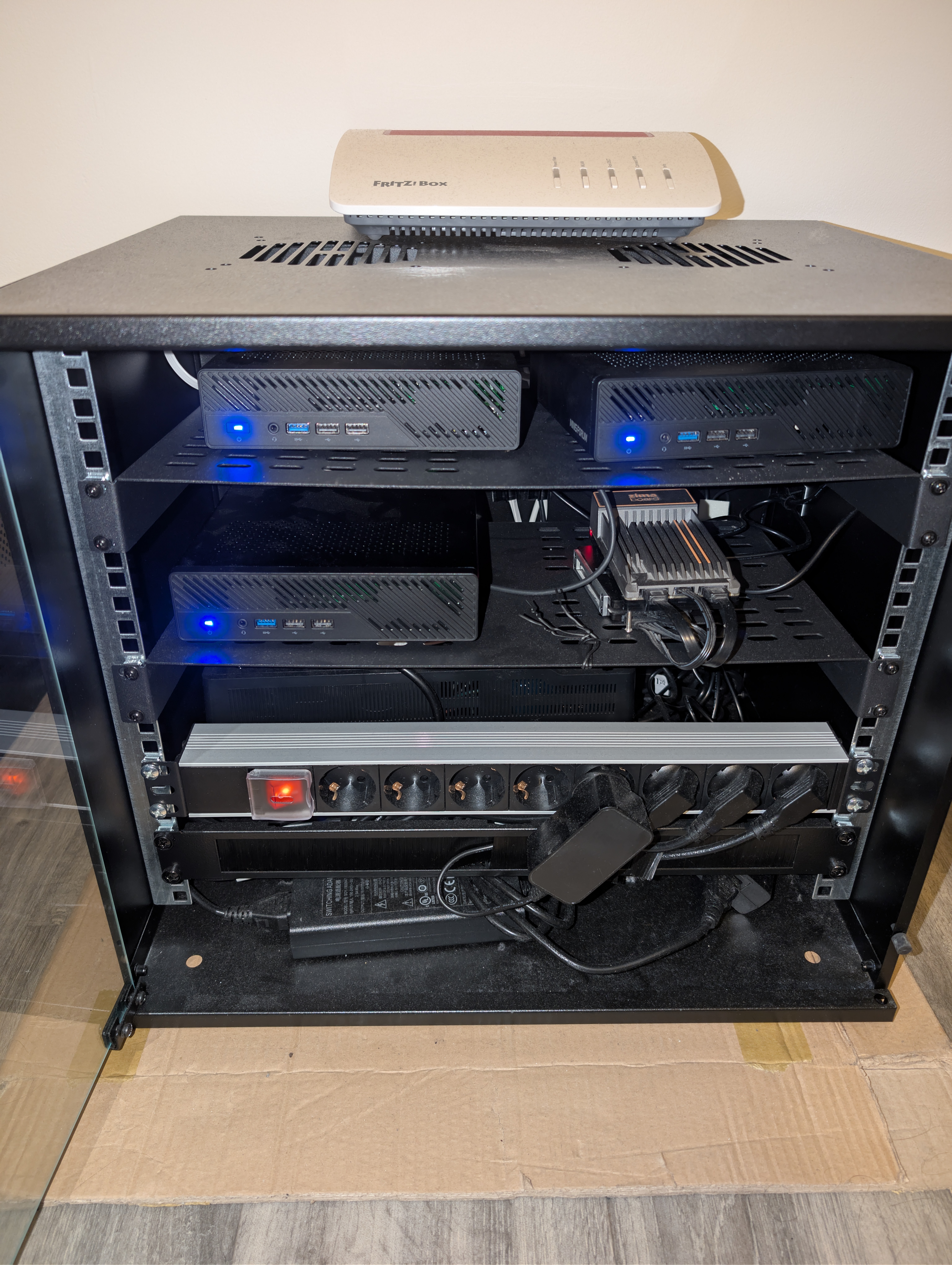
The 10-inch rack: three MS-01s, ZimaBoard, patch panel, and PDU
Cooling. Noctua NF-A4x20 PWM 40mm fans to keep the air moving. Nearly inaudible.
Power consumption
One of the most common questions about a homelab: how much does it cost to run?
The MS-01 with an i5-12600H idles at around 25-29W. Three of them plus the ZimaBoard, the router, and the fans put the whole rack at roughly 100W idle, measured with a smart plug.
At the average EU electricity rate (~0.28 EUR/kWh), the yearly cost is:
(watts x 24 x 365) / 1000 x price_per_kWh
100W continuous at 0.28 EUR/kWh comes out to about 245 EUR/year, or roughly 20 EUR/month. About the price of a single cloud subscription.
For comparison, old enterprise rack servers (the Dell R710s and HP DL360s you find cheap on eBay) idle at 200-300W each. One of those would cost more per year in electricity than my entire three-node cluster. That is why I went with new efficient mini PCs instead of used enterprise gear. Higher upfront cost, a fraction of the running cost.
Is it worth it?
Let’s talk about money.
vs. cloud subscriptions
The usual argument is that self-hosting saves you the cost of the subscriptions you already pay for. It can, but only for the services where self-hosting is actually a 1:1 swap. So here is a shorter, more honest list:
| Service | What it does | Self-hosted alternative | EUR/year |
|---|---|---|---|
| Google One (2TB) | Cloud storage, photo backup | Nextcloud, Immich | ~120 |
| Bitwarden Premium | Password manager | Vaultwarden | ~10 |
| Evernote Personal | Notes | Joplin | ~80 |
| GitHub Pro | Private repos, CI | Gitea | ~44 |
| Total | ~254 |
Around 250 EUR/year for services where the self-hosted version really does replace the original, not “kind of, if you squint”. Jellyfin and Navidrome are great, but nobody seriously replaces Netflix and Spotify with them. You still need a media library, and the catalogs are not the same thing. I keep those two running for my own library, not as a Netflix replacement.
So the honest pitch is not “I will save a fortune in subscriptions”. The savings are real but modest. The real win is owning the data and controlling the uptime.
vs. renting servers
The other comparison is against rented hardware. A Hetzner dedicated server with roughly comparable specs (8-12 cores, 32-64 GB of RAM, NVMe storage) runs about 50-70 EUR/month. Three of them land in the 1,800-2,500 EUR/year range.
That is not a perfect apples-to-apples comparison either. Hetzner gives you a datacenter, a public IP, and symmetric gigabit uplink. I give myself residential power, a FRITZ!Box, and a consumer fiber line. Different trade-offs.
But for the workloads I care about (private storage, photos, notes, CI, Home Assistant, media), I do not need a datacenter. I need hardware I control, sitting in my closet. The one-time cost of the three MS-01s plus RAM, SSDs, ZimaBoard, rack, and UPS pays itself back in two or three years against Hetzner, and after that the only ongoing cost is power and the occasional drive replacement.
System requirements
If you want the full bill of materials, here it is in one place.
Compute
| Node | Role | Spec |
|---|---|---|
| pve01 | Proxmox VE host, runs a Talos VM (k8s) + an OPNsense VM (HA firewall/router) | Minisforum MS-01, i5-12600H (12C/16T), 32GB DDR5-4800, 2TB WD_BLACK SN850X NVMe |
| pve02 | Proxmox VE host, runs a Talos VM (k8s) + an OPNsense VM (HA firewall/router) | same as pve01 |
| pve03 | Proxmox VE host, runs a Talos VM (k8s) + an OPNsense VM (HA firewall/router) | same as pve01, but storage is 2x 1TB NVMe (reused) in ZFS RAID 0 |
| pve04 | Proxmox Backup Server + MinIO (S3) + Uptime Kuma | ZimaBoard 832, Celeron N3450, 8GB RAM, 2x Samsung 870 EVO 2TB (RAID 1) |
Hardware totals: 36 cores, 48 threads, 96 GB RAM, 6 TB NVMe. Storage runs on ZFS RAID0 per node, expandable to mirror. Each Proxmox host runs two VMs: a Talos Linux node for the 3-node Kubernetes cluster (control plane + workloads), and an OPNsense instance for firewall, routing, WireGuard VPN, and DNS, set up in CARP HA across the three nodes.
RAM: Corsair Vengeance SODIMM DDR5-4800 2x16GB. NVMe: WD_BLACK SN850X 2TB PCIe 4.0.
Network
| Port | Usage |
|---|---|
| nic0 (2.5 GbE) | LAN/WAN, connected to FRITZ!Box |
| nic1 (2.5 GbE) | Unused, reserved for future VLAN/management |
| nic2 (10 GbE SFP+) | Inter-node full-mesh, DAC |
| nic3 (10 GbE SFP+) | Inter-node full-mesh, DAC |
Router and WAN: FRITZ!Box 5590 Fiber, 2.5 Gbps fiber line. No 10G switch, the three MS-01s are cabled directly to each other.
Power, rack, cooling
| Component | Details |
|---|---|
| UPS | APC Back-UPS ES BE850G2-IT (850VA / 520W), ~15 min autonomy |
| Rack | 10-inch rack with shelves, PDU, patch panel |
| Cooling | Noctua NF-A4x20 PWM (40mm) fans |
| Power draw | ~100W idle for the whole rack (measured) |
You do not need any of this to start. A ZimaBoard with a couple of SSDs carried me for two years. But if you want to build something more serious, the MS-01 is hard to beat: enterprise-level networking in a mini PC, at a price that is still reasonable.
In the next article, we will get into the software side: Proxmox VE on the bare metal, Talos Linux and Kubernetes on top, and how everything from Longhorn to Flux GitOps is wired together.